

Circuit and runPro
Your session, lap by lap
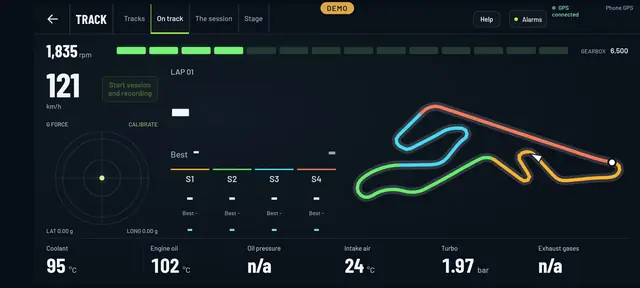
On track you care about the lap, the sector and whether the engine holds up. The Circuit Cockpit gives you all three at once: GPS timing, the layout with your position on it and the car’s data, all recorded.
- Laps and sectorsUsing your mobile’s GPS, best lap and four sectors.
- Shift lightsThe rev bar lights up as you get close to the limiter.
- G-forceLateral and longitudinal, on the same screen.
- All recordedTimes, GPS and the car’s data from every session.
How it works
Circuit, finish line and out you go
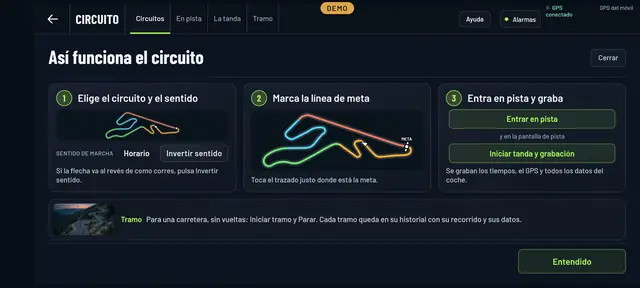
The first time, it walks you through it in three steps. You pick the circuit and the direction you’re running, tap the layout where the finish line is and head out on track.
From then on, every time you cross the line a lap is closed. Press Start session and recording and it saves the times, the route and all the car’s data. When you’re done, The session shows you every lap with its time.
Run
For the road, the run
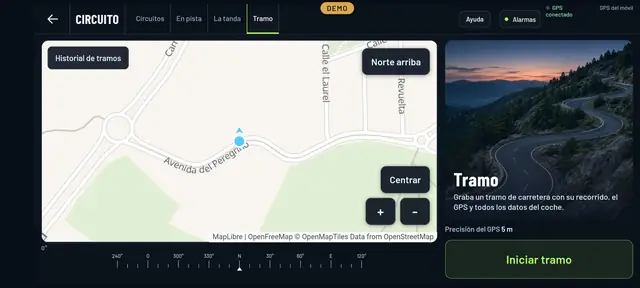
No laps, no finish line: Start run and Stop. Each run is kept in its history with its route on the map, the GPS and the car’s data.
The map comes from OpenStreetMap, with your position, the GPS accuracy and north up if you prefer it that way.
Questions about the circuit mode
Do I need a separate GPS?
No. It uses your mobile’s GPS. With a good view of the sky, laps and sectors come out fine for track day sessions.
Which car data gets recorded?
Whatever your car gives and you’re seeing in the Cockpit: revs, speed, temperatures, turbo and anything else your make offers.
What if my circuit isn’t there?
Drop us a line with its name and we’ll look into it. In the meantime, the run mode lets you record any route you like.
See inside your car this very afternoon
A cheap OBD adapter, the app on your mobile and five minutes. And if you don’t have an adapter yet, the app comes with a demo of a real car so you can see it all first.
Out now in the stores