

CockpitPro
Turn your mobile sideways and step into the Cockpit
The Cockpit is your car’s gauges at full screen, with your mobile on its side in the holder. There’s a screen for each job, and each one only asks the car for what it needs, so it runs as smoothly as possible.
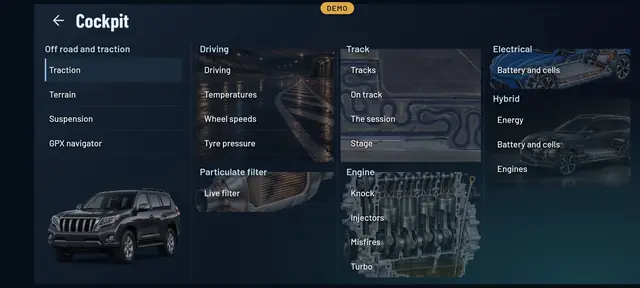
- Over twenty screensGrouped by use: driving, circuit, engine, 4x4, electrical and hybrid.
- With alarmsA minimum and a maximum on every reading, on screen and by voice.
- With GPSHeading, position and speed from your mobile, for the circuit and for routes.
- SwipeYou move from one screen to the next with your finger.
The screens
One for everything
Driving
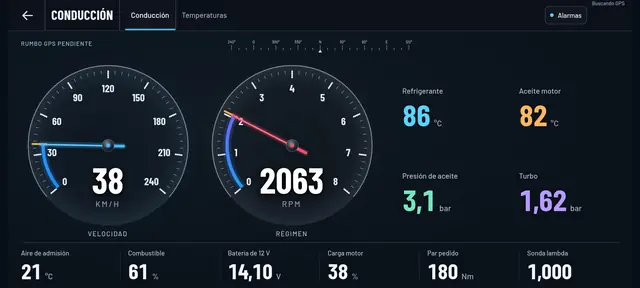
Analogue speedometer and rev counter, with temperatures, oil pressure and boost. There are also temperatures, the speed of each wheel and tyre pressures.
Circuit and stage
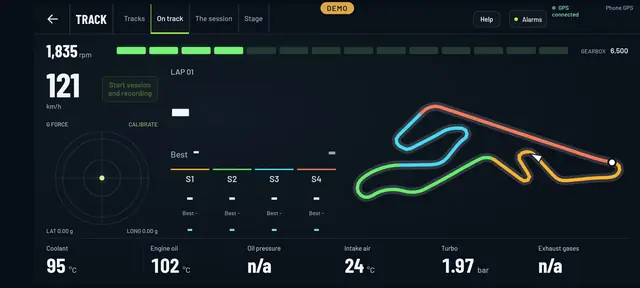
Laps and sectors by GPS, your recorded session and the road stage with its map.
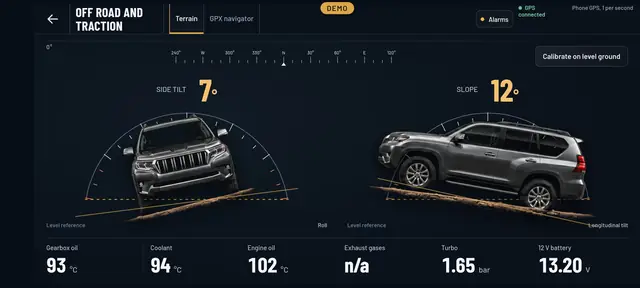
Off-road
Side tilt and gradient, traction, suspension and a GPX navigator.
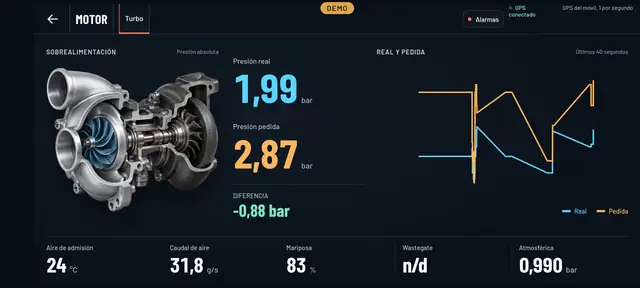
Engine
Actual and requested boost with its graph, plus the cylinders: injectors, knock and misfires.
Particulate filter
The DPF live and its regenerations: soot, differential pressure and temperatures, if your car gives them.
Electrical and hybrid
Energy, the high-voltage battery and its cells, motors and charging, on cars that have one.
Alarms
Every screen has its own alarms
Tap Alarms on any screen and set a minimum or a maximum for whatever you want to keep an eye on: coolant temperature, revs, oil temperature.
As long as you’ve got the Cockpit open on that screen, if a reading goes out of range it warns you in big letters and, if you like, out loud. You can test the alert before you set off.
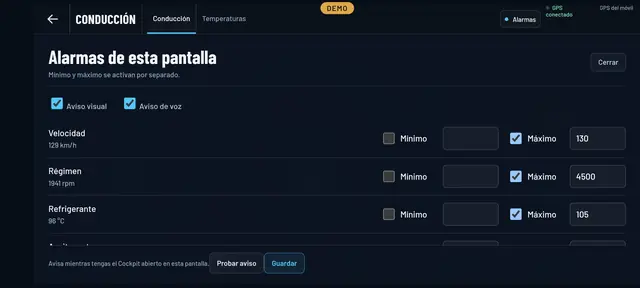
The Cockpit is part of Pro. Each screen shows what your car gives: if your car doesn’t give a reading, it doesn’t appear. Use it with your mobile firmly held in place, and don’t let it distract you while you’re driving.
See inside your car this very afternoon
A cheap OBD adapter, the app on your mobile and five minutes. And if you don’t have an adapter yet, the app comes with a demo of a real car so you can see it all first.
Out now in the stores