

Off-roadPro
For when the tarmac runs out
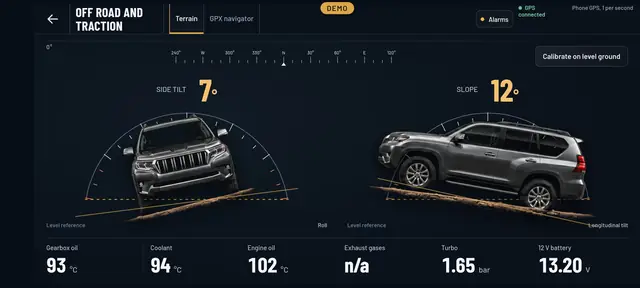
Off-road you want to know how far the car is leaning, where you’re going and how the traction’s doing. The Off-road Cockpit puts all three together, with your phone on its side in the holder.
- Tilt and slopeIn degrees, with the car drawn from the front and from the side.
- Calibrate on level groundSet zero wherever you like with one tap.
- Traction and suspensionLow range, diff locks and ride heights, if your car gives them.
- GPX navigatorLoad a route, follow it and record your own.
Terrain
Side tilt and slope at a glance
It uses your phone’s sensors. Put it in the holder, tap Calibrate on level ground with the car on flat ground, and from then on you see the degrees of side tilt and nose angle, with the drawing of the car leaning along with you.
Underneath is what matters most on a long climb: gearbox oil temperature, coolant, engine oil, turbo and battery.
GPX navigator
Load a route and follow it on the map
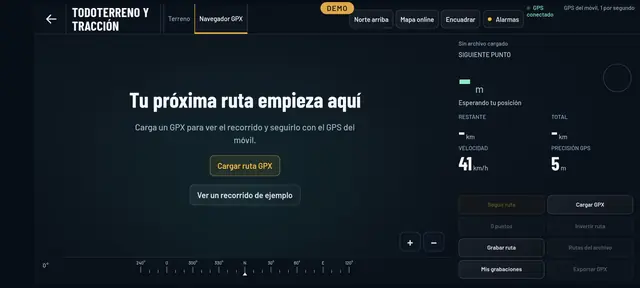
Open a GPX file of your route and the navigator shows you the next point, what’s left to go and how accurate the GPS is. You can also record your own track.
It works with your phone’s GPS. If you don’t have a route yet, there’s a sample track you can use to try it out.
Traction
What your 4x4 tells you about its traction
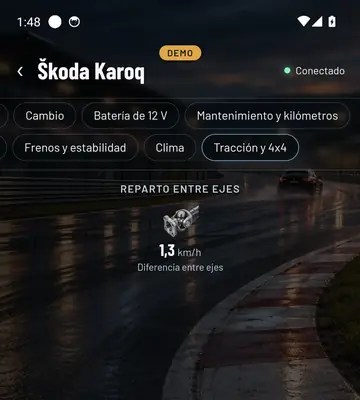
Depending on the car: the drive mode, low range, the centre and rear diff locks, the split between axles, the speed of each wheel and the suspension height.
Every off-roader gives different things, and Final OBD only shows what yours answers. In Your car, the Traction and 4x4 tab has it too, with the phone upright.
See inside your car this very afternoon
A cheap OBD adapter, the app on your mobile and five minutes. And if you don’t have an adapter yet, the app comes with a demo of a real car so you can see it all first.
Out now in the stores