

Faults and clearingFree and Pro
What’s wrong with your car, one control unit at a time
The engine warning light only tells part of the story. Final OBD asks every control unit in your car, one by one, and shows you each fault with its status and what it means.
- Every control unitEngine, gearbox, brakes, airbag, instrument cluster, climate, body, parking...
- Active or storedRed if it’s failing now, amber if it was stored, green if it’s clean.
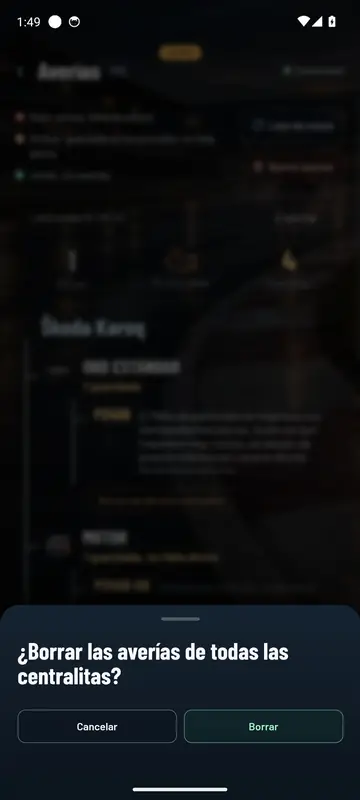
- ClearAll at once or just one control unit’s faults, and it always asks you first.
- ExportTake the reading with you to show your garage.
At a glance
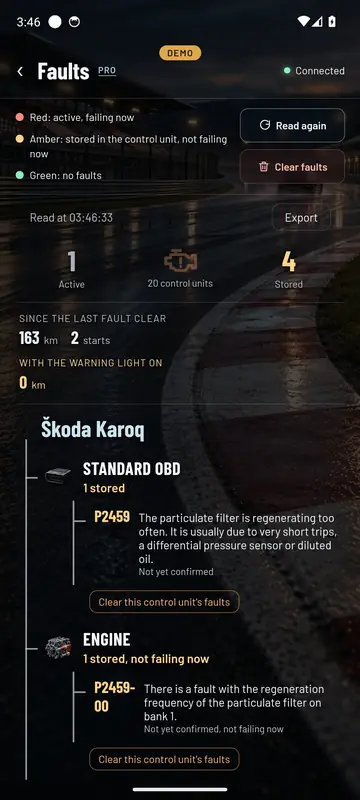
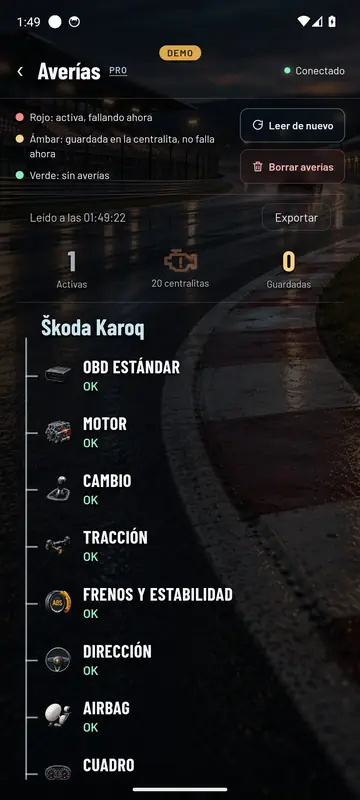
Red, amber and green
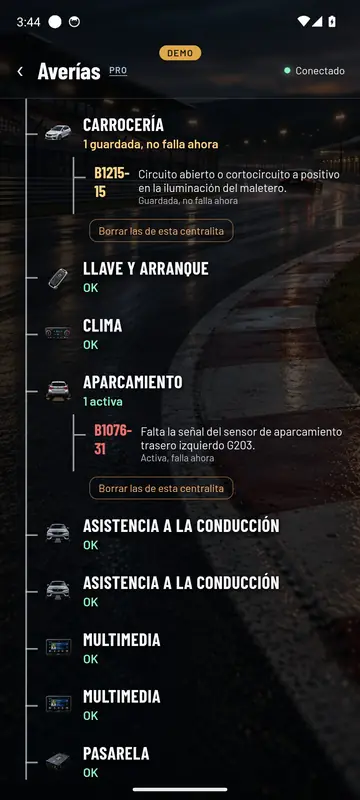
At the top you can see how many are active, how many control units have been read and how many are stored. Below that, your car’s tree with every control unit and what it’s got.
- Active, in red: it’s failing right now. If you clear it, it comes back.
- Stored, in amber: it happened, the control unit logged it and it isn’t failing now.
- Not yet confirmed: the control unit has seen it once and is waiting to confirm it.
Every code comes with its explanation when we have one. The standard ones, always. The manufacturer’s own codes we’re writing up brand by brand; if one doesn’t have its explanation yet, you still see the exact code and control unit, which is what your garage needs.
Clear faults
Clear them once it’s fixed
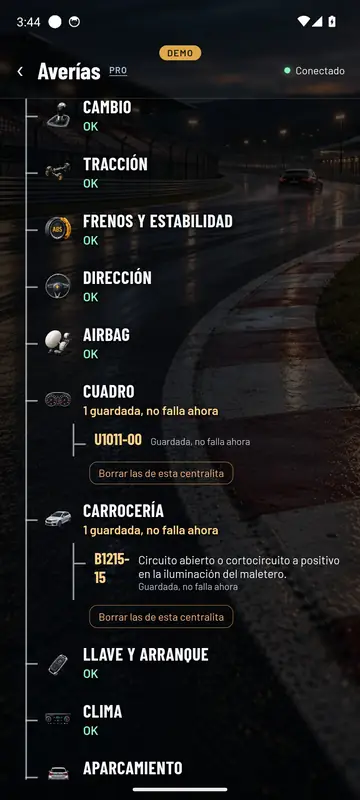
Clear faults wipes every control unit at once. Clear this control unit’s faults does just that one. It always asks you first.
Then Final OBD reads again. What was stored disappears and whatever is still failing comes back in red, so you know whether the repair has worked.
Heads up: clearing resets the monitors for the ITV (the Spanish MOT). They complete again on their own after a few days of driving.
In Free
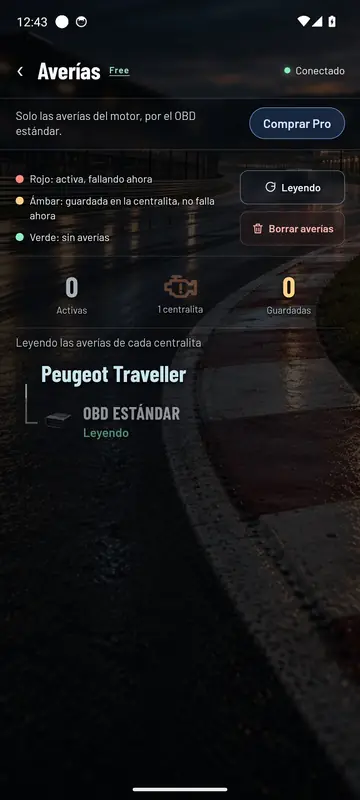
In Free, the engine through the standard
The free version reads and clears engine faults through standard OBD, the same one behind the amber warning light. With its descriptions in six languages and no internet needed.
To see the other control units, move up to Pro. When you install the app you get 48 hours of Pro to try it on your car.
Questions about faults
Does clearing a fault fix it?
No. Clearing only wipes what the control unit had logged. If the problem’s still there, the fault comes back, and Final OBD shows you when it reads again.
Can I break anything by reading the faults?
No. Reading is just asking each control unit. Final OBD doesn’t change anything in your car when it reads.
What do I do with a code I don’t understand?
Look it up in our fault codes or ask the AI chat, which checks it with your car’s data in front of it.
See inside your car this very afternoon
A cheap OBD adapter, the app on your mobile and five minutes. And if you don’t have an adapter yet, the app comes with a demo of a real car so you can see it all first.
Out now in the stores