

Data and alarmsPro
Keep an eye on what matters to you in your car
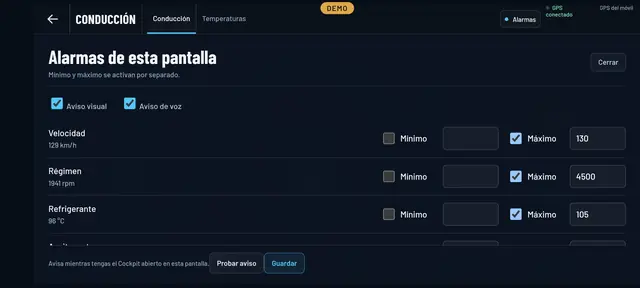
Some numbers you just don’t want to lose sight of: coolant temperature in summer, oil temperature on track, the turbo, the battery on a car that sometimes won’t start. Give them a minimum and a maximum and Final OBD will warn you.
- Minimum and maximumYou switch each one on separately.
- Visual and voice alertBig on the screen and, if you like, spoken too.
- On every screenEach Cockpit screen has its own alarms.
- Test the alertSo you can hear it before you set off.
What you can watch
Everything your car gives out
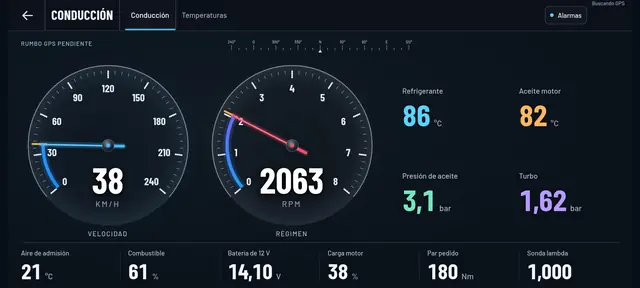
Alarms go on the data shown on each Cockpit screen, so you can watch whatever your car reports: revs, speed, coolant, oil and gearbox temperatures, boost pressure, battery voltage, tyre pressures, and on hybrids and EVs the high-voltage battery.
- In summer: a maximum on coolant temperature.
- On track: a maximum on oil and coolant, and a minimum on oil pressure.
- Towing or off road: a maximum on gearbox oil temperature.
- A car whose battery keeps going flat: a minimum on voltage.
How to set it up
Two boxes and a number
On whichever Cockpit screen you’re using, tap Alarms. Tick Visual alert, Voice alert or both, then for each reading switch on the minimum, the maximum or both and enter the value. Save, and that’s it.
It warns you while you have the Cockpit open on that screen. That way nothing goes off for something you’re not looking at.
See inside your car this very afternoon
A cheap OBD adapter, the app on your mobile and five minutes. And if you don’t have an adapter yet, the app comes with a demo of a real car so you can see it all first.
Out now in the stores